Fieldnote
A research workspace that takes a question from sources to a structured report.
Overview
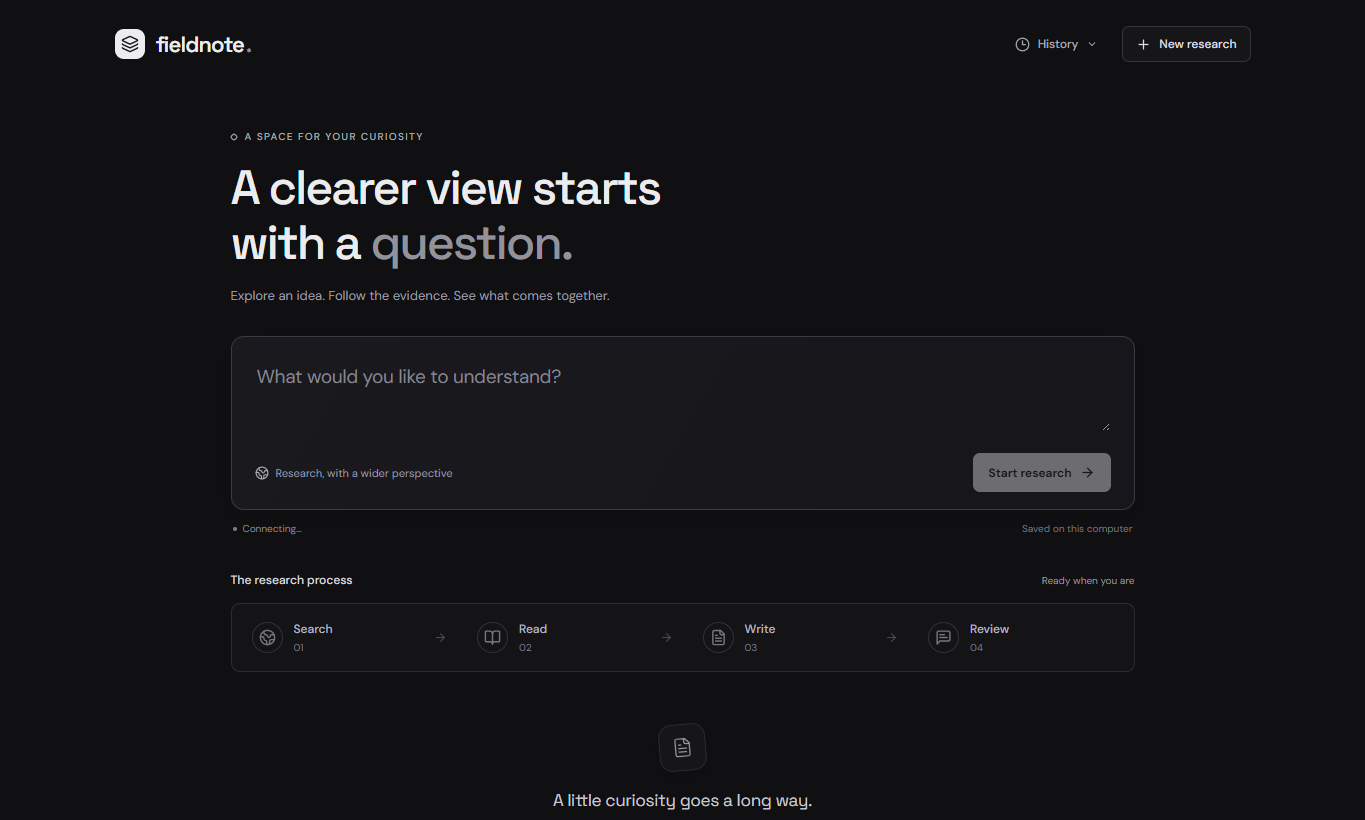
Fieldnote brings search, reading, writing, and critique into one research workflow. Search and reader agents gather information, then writing and critique stages turn it into a report. The workspace keeps the process visible through progress updates and source links, with saved runs that can be revisited later.
Architecture
Scroll to explore the connections, or use Fit to see the full diagram.
A persisted research run, from request to report
- POST /api/research returns a run ID after admission. The UI polls the run endpoint for progress and the final report.
- The bridge starts a separate Python worker. Search, reading, writing, and critique run in sequence, with Tavily and the NVIDIA model API supporting those stages.
- JSON-line events flow back to the bridge and SQLite. Saved history and reports survive a workspace refresh.
Component responsibilities
React workspace and HTTP bridge
The Vite proxy forwards API requests to a Python ThreadingHTTPServer bridge. The UI polls run progress and saved history.
Isolated research execution
A single background executor starts a separate worker that runs search, reading, writing, and critique in sequence. Tavily, website scraping, and the NVIDIA model API support the pipeline.
SQLite run history
JSON-line worker events are persisted by the bridge alongside run state and reports in SQLite.
Why I built this
I wanted to explore how multiple focused agents could turn a research question into a report while keeping the sources and intermediate progress visible. Fieldnote gave me a way to connect agent orchestration to a usable product interface.
Use case
A developer investigating a technical topic can gather sources, follow the research stages, inspect the resulting report, and export it as Markdown for further work.
What I learned
- Breaking a broad research task into search, reading, writing, and critique stages.
- Connecting a Python agent pipeline to a React interface that makes progress visible.
- Keeping source references and saved runs accessible so research can be reviewed and reused.
Key features
Research in stages
Search and reader agents handle discovery and source reading before the writing and critique stages.
Sources you can inspect
Follow source links and progress as the research moves through the workflow.
Reusable research
Revisit saved runs and export reports as Markdown for further editing or sharing.